Watch Quick Video
Odoo POS Maximum Discount Limit Module
Managing discounts in retail and POS environments can quickly get out of control without proper rules in place. The Odoo POS Maximum Discount Limit module is designed to help businesses enforce strict discount policies and maintain complete control over pricing.
This Odoo POS discount control module allows you to set a customer discount limit in Odoo POS, ensuring that no user exceeds the allowed discount percentage during sales transactions. Whether you are managing in-store sales or POS operations, this solution helps prevent over-discounting and protects your margins.
With this module, you can define maximum discount limits in Odoo POS at both product and category levels. Product-specific rules take priority, while category-based limits act as a fallback, ensuring flexibility without compromising control. This makes it an ideal solution for businesses looking for reliable Odoo POS discount management and secure pricing workflows.
The system performs real-time validation and instantly blocks any discount that exceeds the defined limit. This ensures that your team follows consistent pricing rules while maintaining smooth operations across both Sales and POS.
Designed for businesses that need better control over discounts, this module is one of the most practical solutions for restricting discounts per customer in Odoo POS and improving overall revenue protection.
Key Features
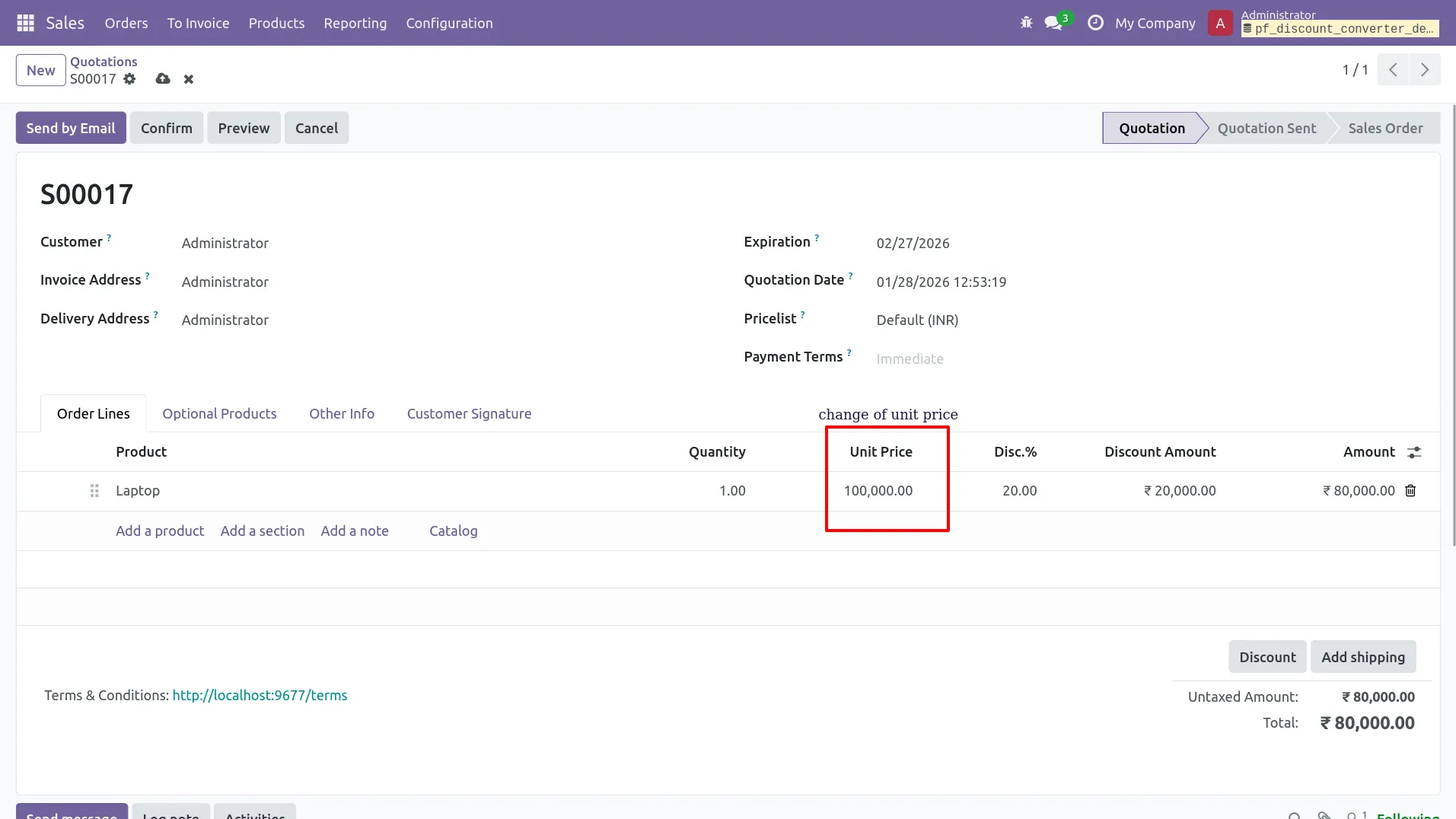
1.Set Product Maximum Discount (in %) from the Product Variant form (Laptop = 10%).
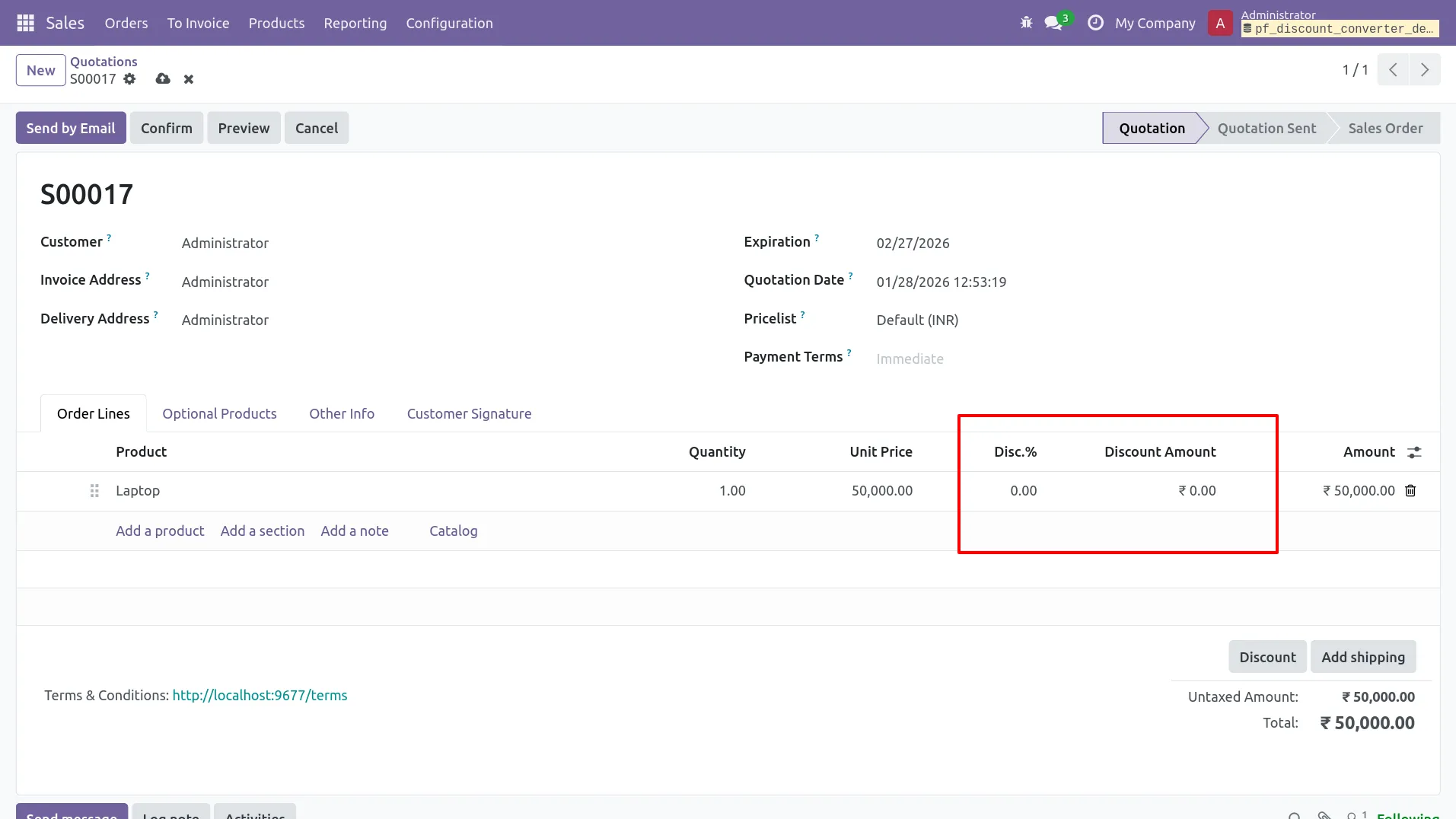
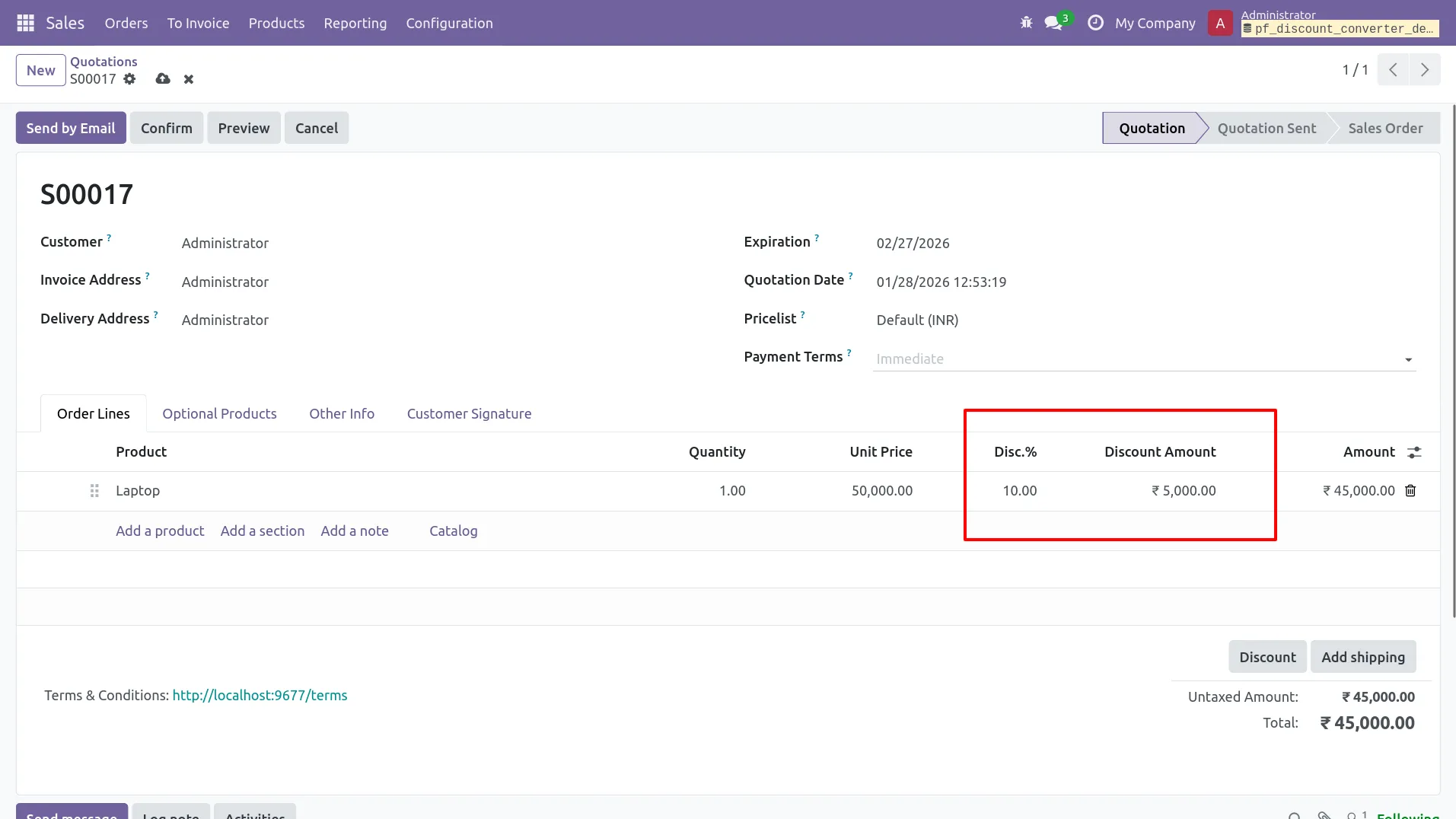
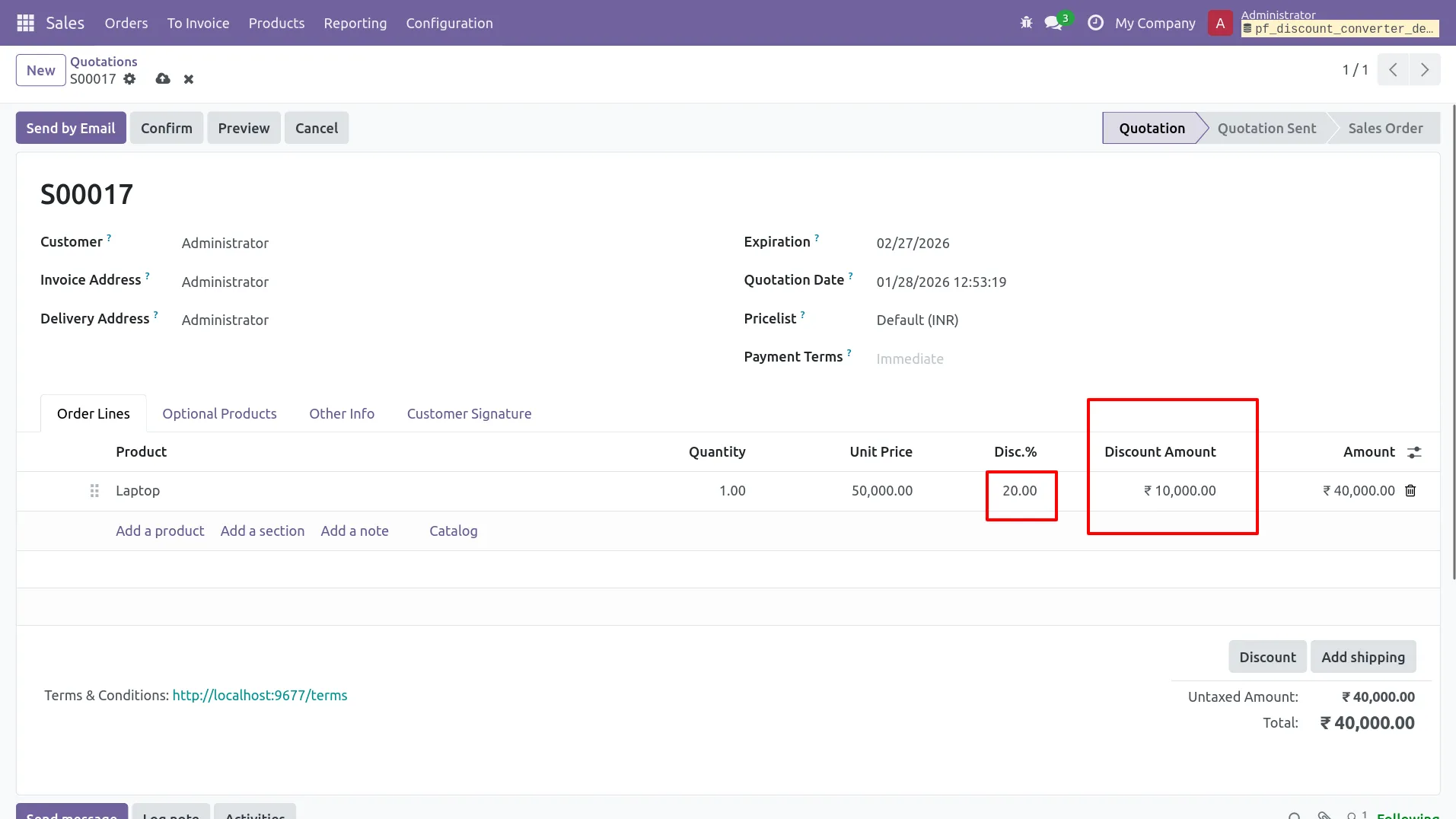
2.In Sales Quotation, user applies 15% discount on Laptop order line.
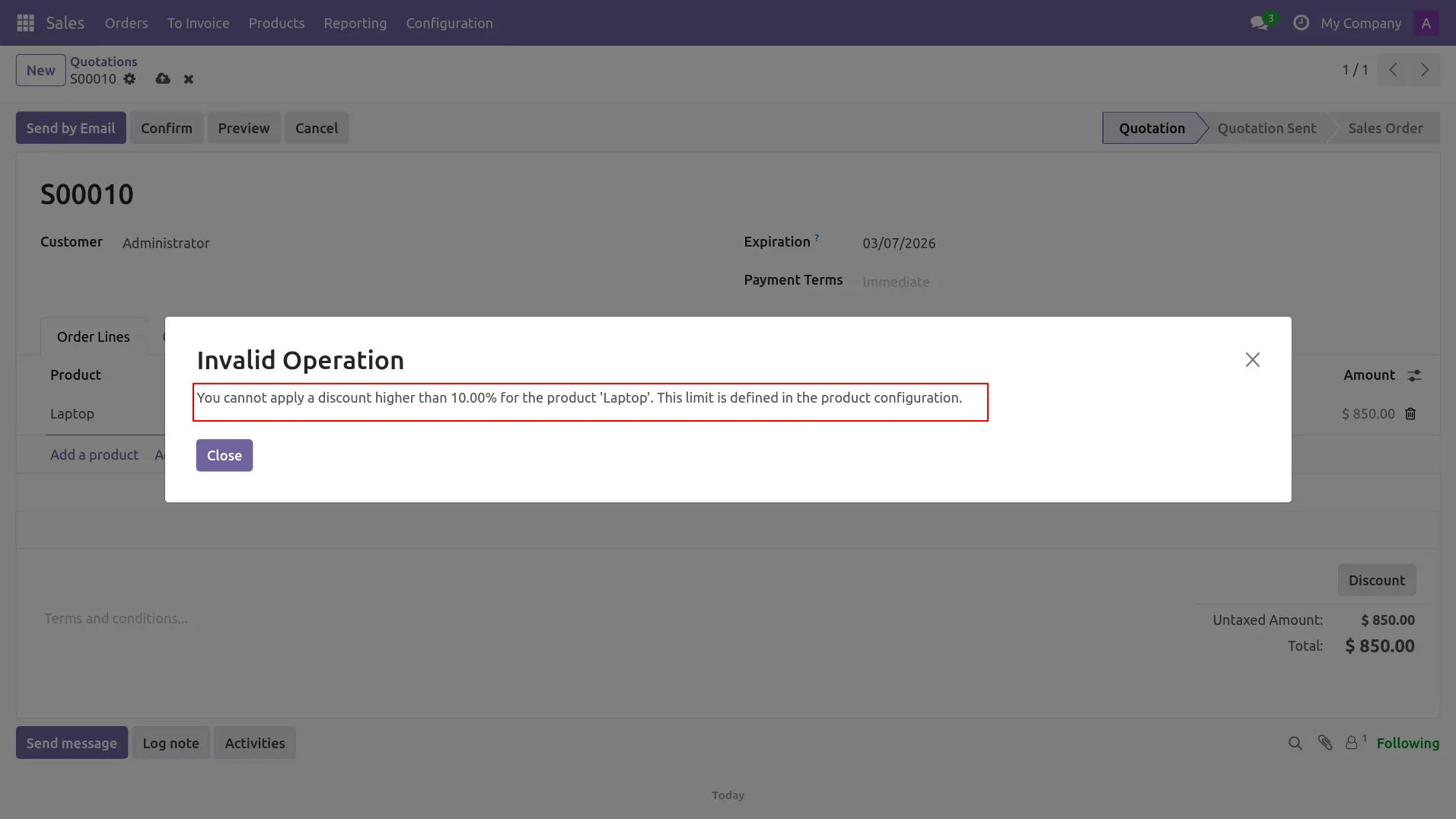
3.System shows “Invalid Operation” popup because discount exceeds product limit (Max 10%).
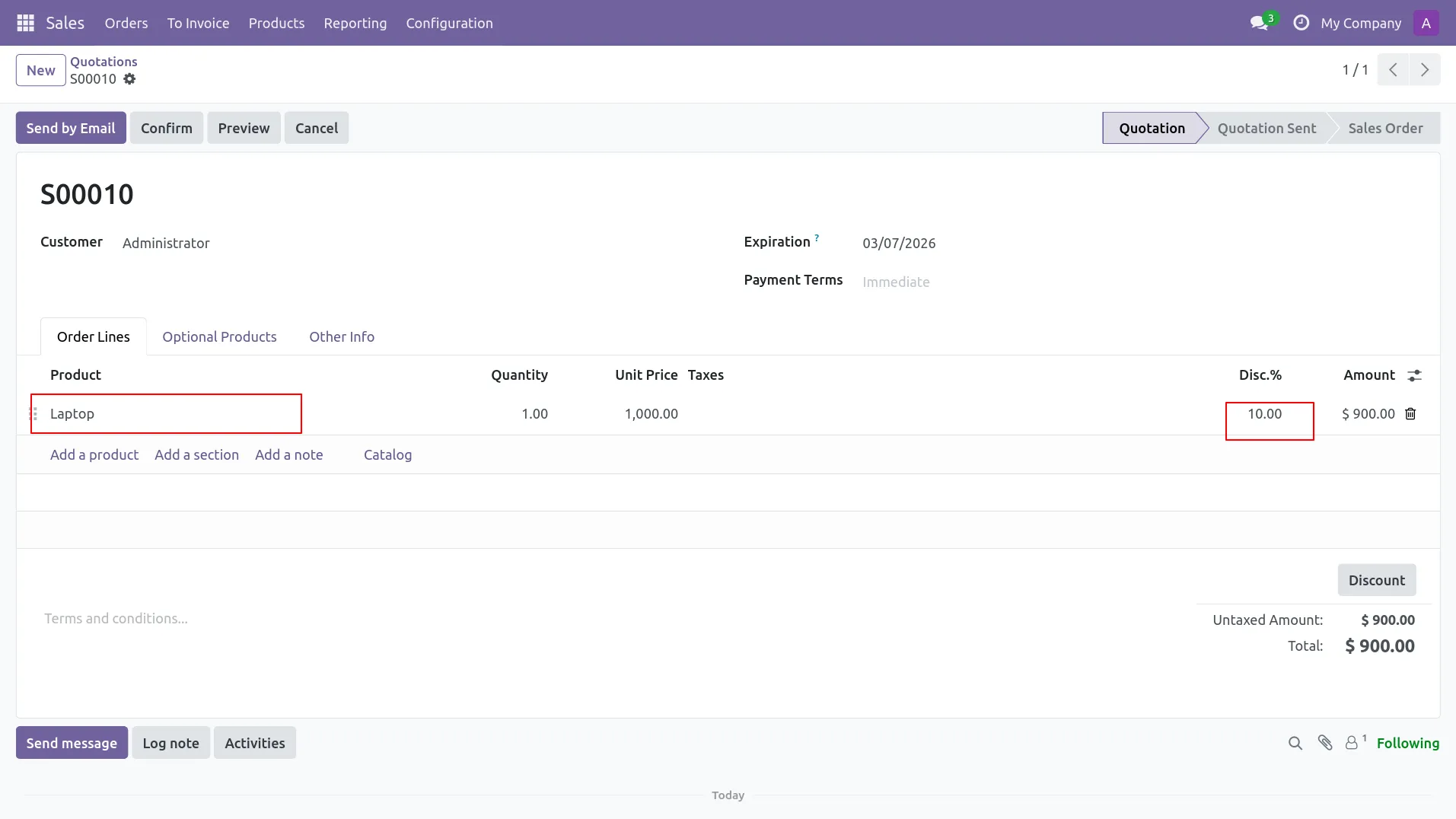
4.Discount is allowed when user applies 10% (within product maximum discount limit).
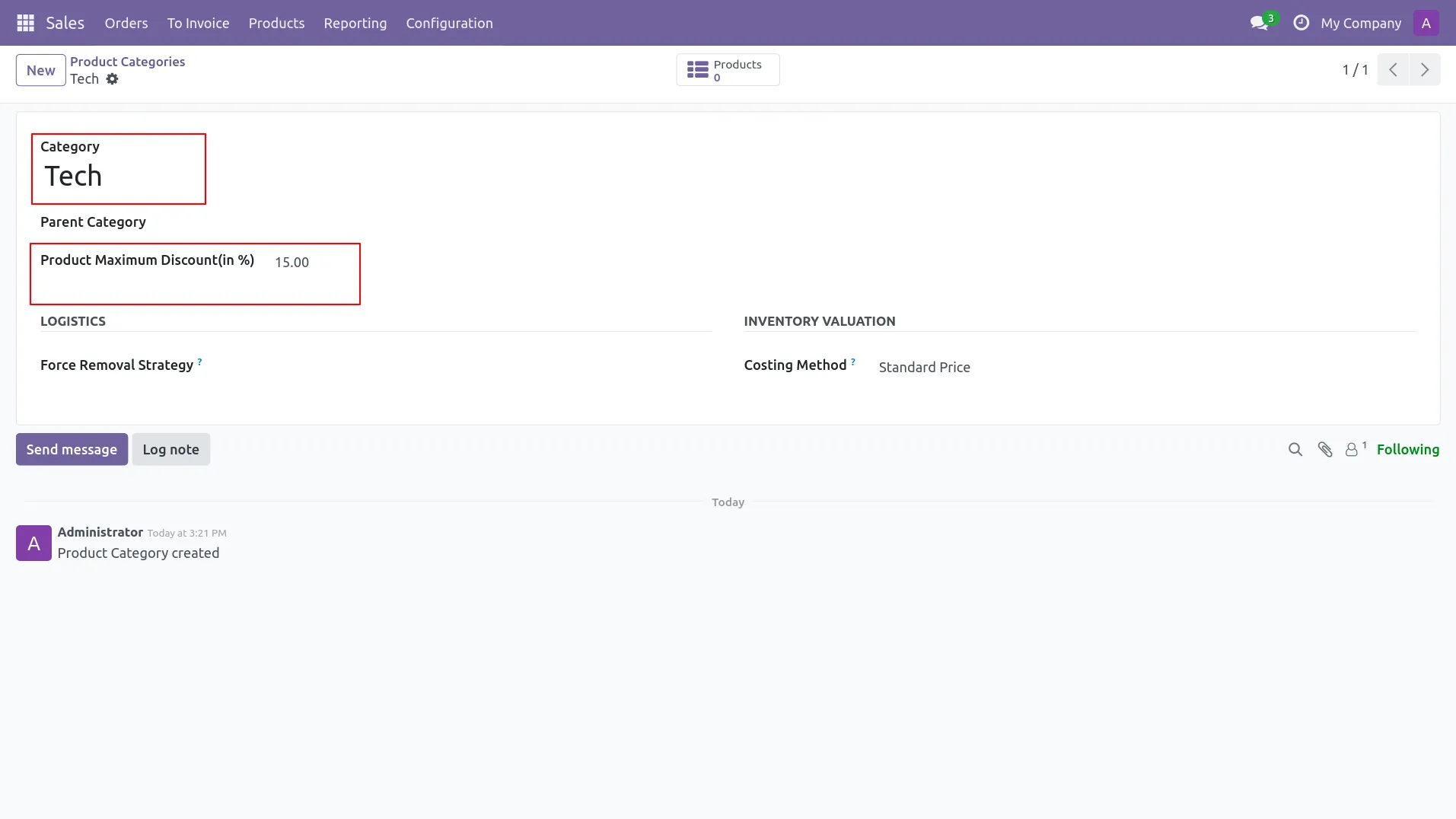
5.Configure Category Maximum Discount (in %) from Product Category (Tech = 15%).
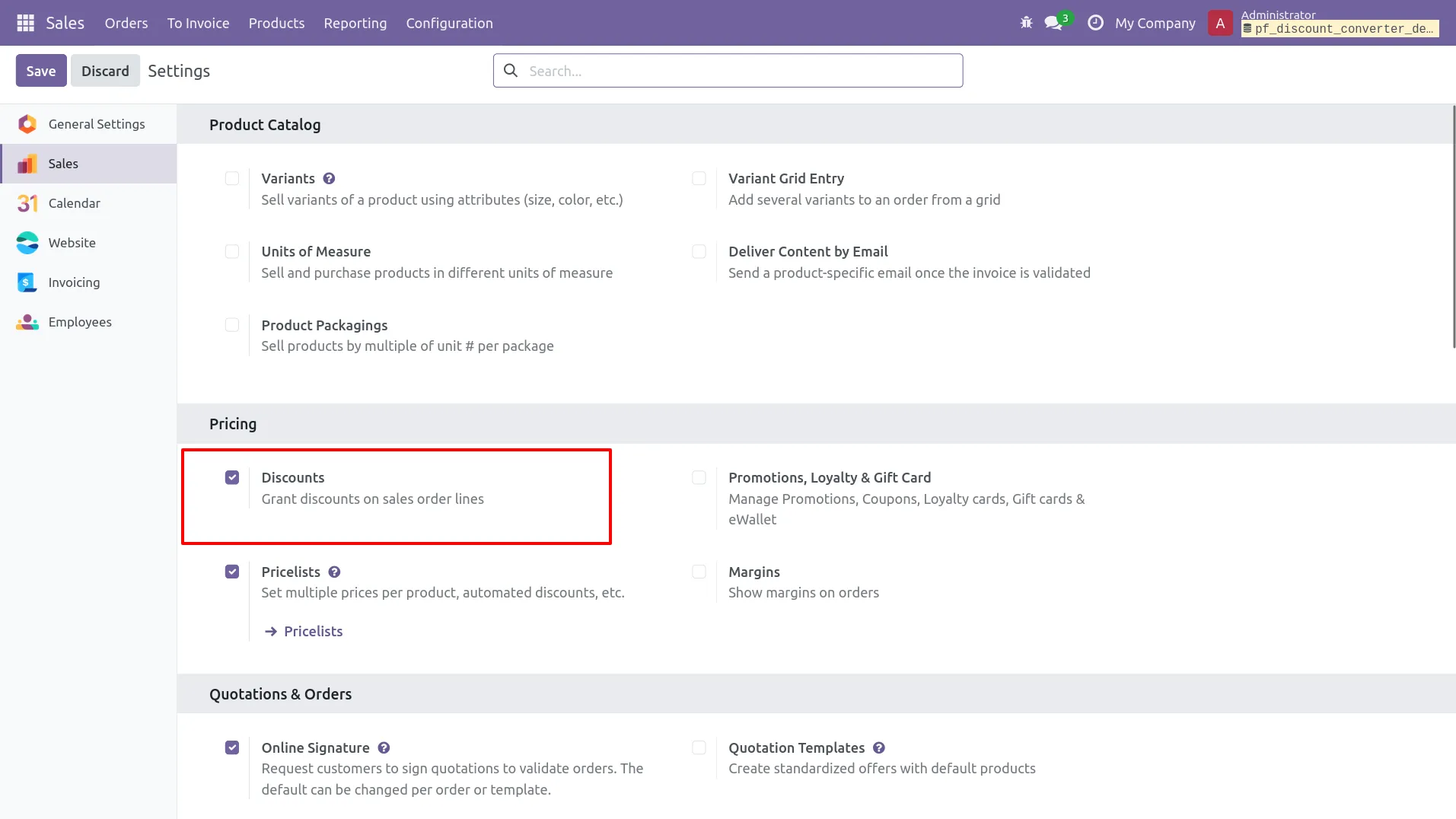
6.Product has 0% maximum discount, so category limit (Tech) will be used as fallback.
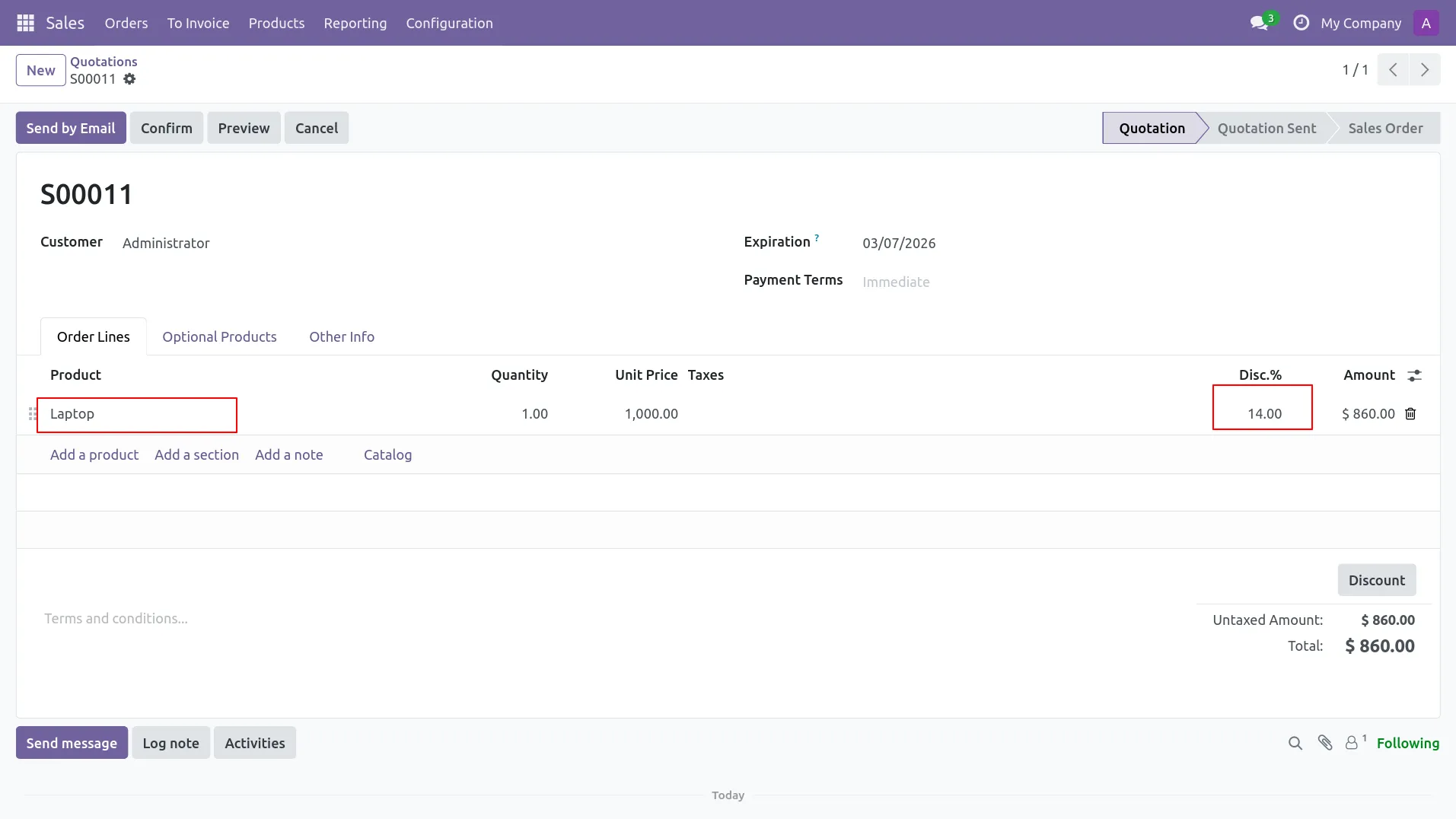
7.In Sales Quotation, user applies 14% discount (within category limit 15%) and it is accepted.
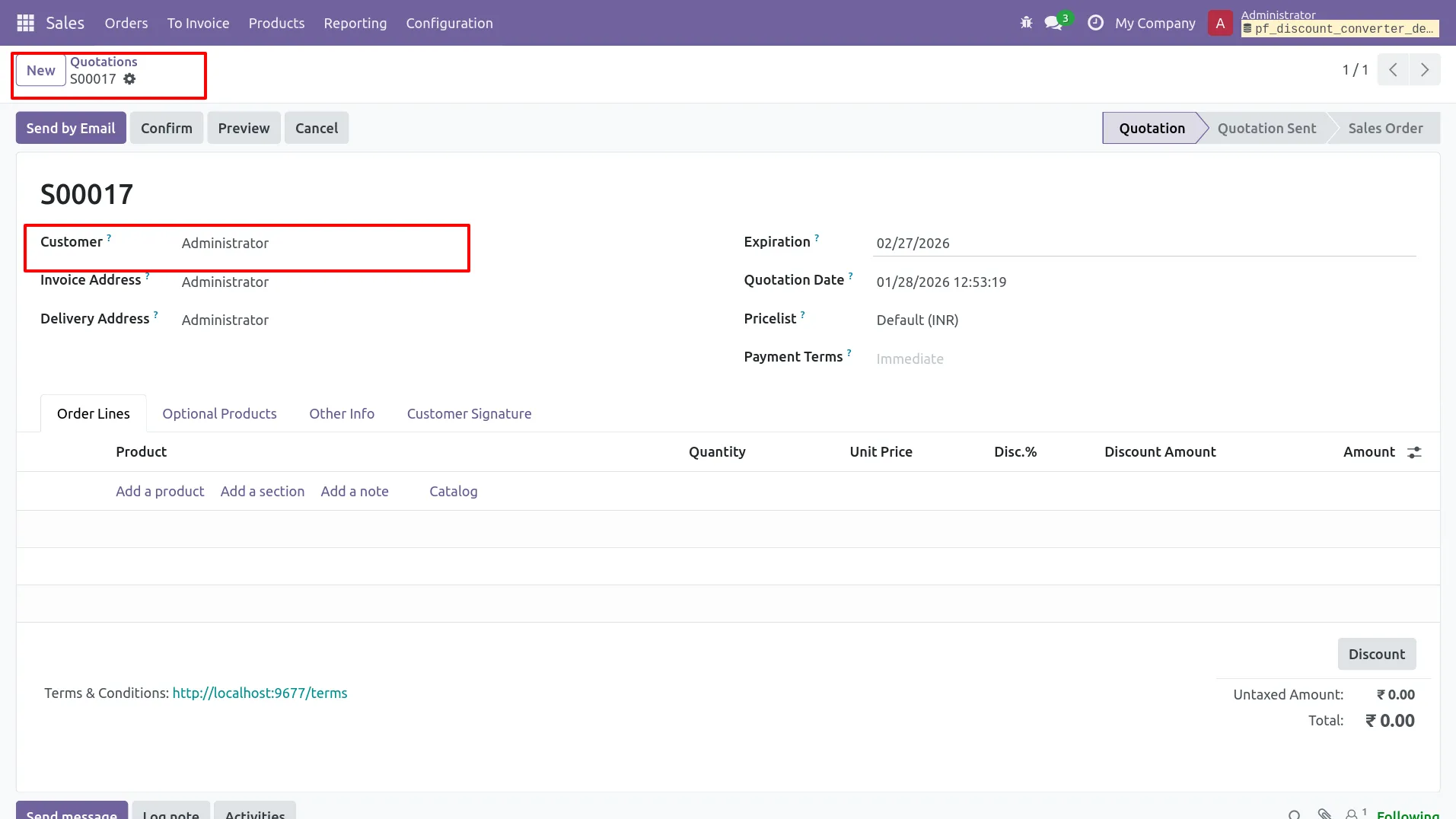
8.User applies 16% discount in Sales Quotation (exceeds category limit 15%).
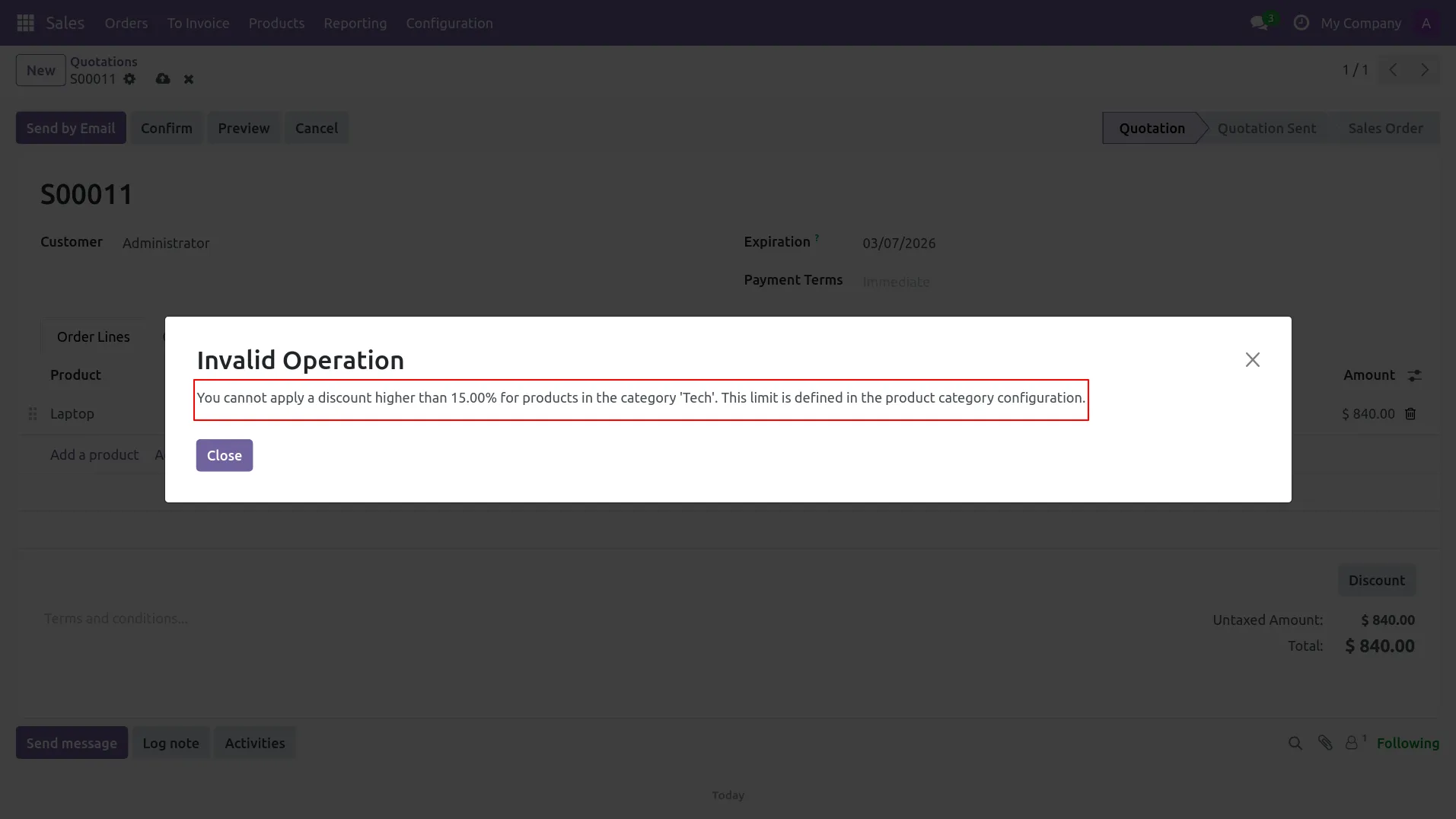
9.System shows “Invalid Operation” popup because discount exceeds category limit (Max 15% for Tech).
10.In Point of Sale module, Product Maximum Discount (in %) is also visible/configurable on the product form (Laptop = 10%).
11.In POS screen, Laptop is added to the order line with original price (before applying discount).
12.POS shows “Discount Not Allowed” popup when user tries to apply a discount higher than the maximum allowed (Max 10%).
Frequently Asked Questions
Our solutions focus on your problems
- Odoo Implementation
- Odoo Customization
- ERP Development and Implementation
- Odoo Ipass Cloud
- AI for Odoo
- Odoo Apps
- Aws Marketplace Products
- Business Engines
Our Pricing includes User Manual, 90 Days Support (Monday-Friday 10am to 7pm IST) and One time Setup
• Works & tested on standard installations of Odoo with no third party apps,
• Free support only for odoo installations with no third party apps,
• Paid support available for Odoo installations with third party apps.

Prefortune is a Odoo Official Partner, Odoo Development company. Our philosophy is to use Open Source tools and technologies to provide cost effective and green solutions for our customers.
Prefortune Technologies LLP is working on web development, Mobile development, and Odoo ERP.
If you need any help or want more additional features, you may contact us through:
Alternative Products
These other products might interest you